
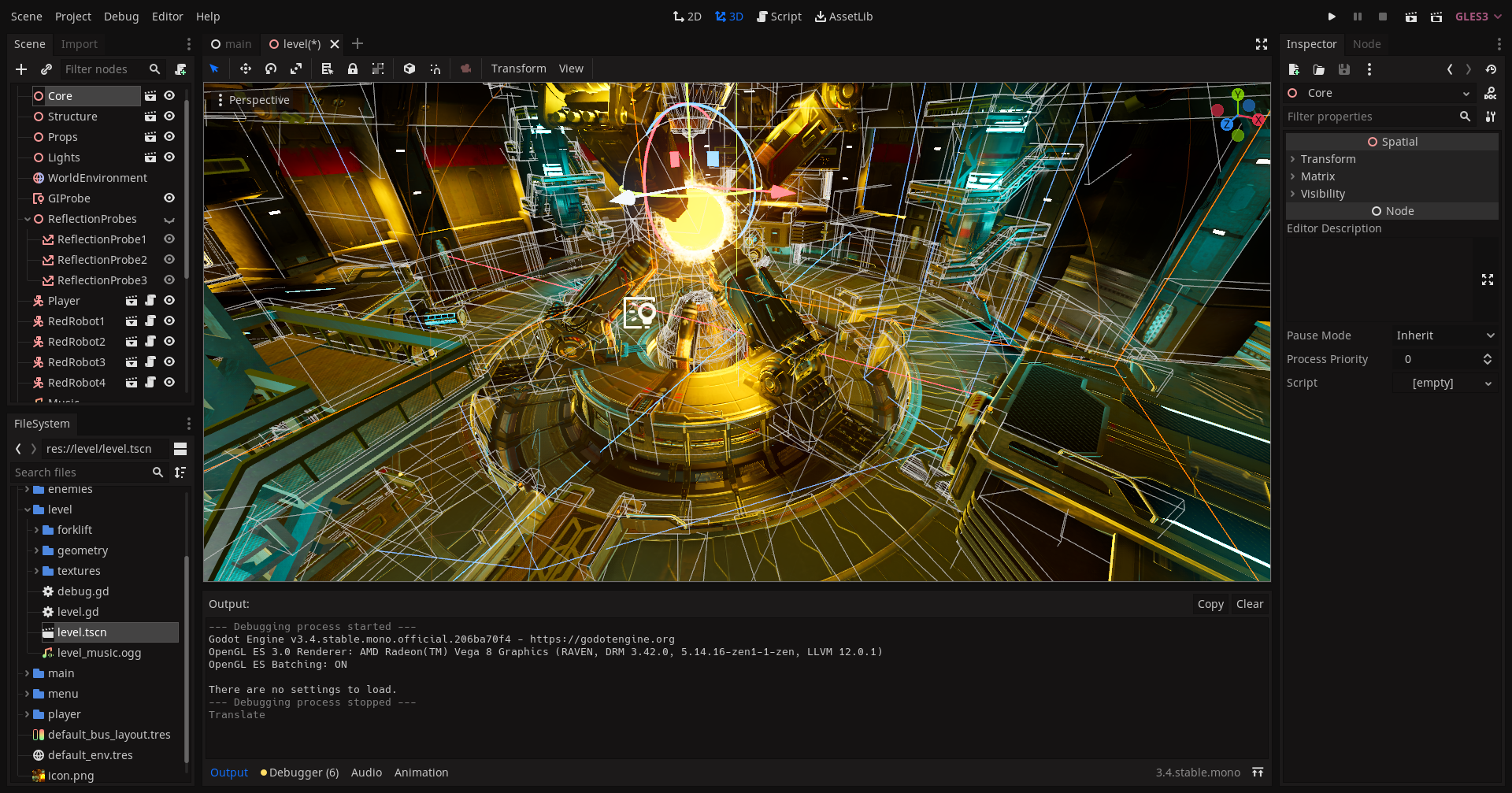
Godot is a free and open-source game development engine that enables developers to build games for a variety of platforms, including PC, mobile, console, and web. It provides a range of tools and features for creating 2D and 3D games, including a visual editor, a physics engine, and support for a variety of programming languages.
Godot is known for its simplicity and ease of use, making it a popular choice for beginners and experienced game developers alike. It has a small but active community of users, with a wealth of online resources and support available to help developers learn and build with Godot.
In addition to its game development capabilities, Godot is also used in a variety of other industries, including architecture, engineering, and film. It offers a range of features for creating interactive 3D content, such as virtual reality (VR) and augmented reality (AR) experiences, as well as simulations and visualizations.
Here are the basic steps you can follow to create a game using the Godot game engine:
- Download and install Godot
First, visit the Godot website (https://godotengine.org/) and download the latest version of the engine. Follow the instructions to install it on your computer. - Create a new project
Open Godot and click on “New Project” to create a new project. Choose a name and location for your project, and select a template (e.g. “2D” or “3D”) depending on the type of game you want to create. - Set up the project
Once your project is created, you’ll be taken to the Godot editor. This is where you’ll do most of your work. Take some time to familiarize yourself with the editor, and set up your project according to your needs. This might include importing assets (e.g. models, sounds, etc.), setting up your scene and hierarchy, and configuring your camera and lighting. - Add game mechanics and gameplay
Now it’s time to start adding the core gameplay elements to your game. This might include character movement, enemy AI, power-ups, score tracking, and so on. You can use Godot’s built-in tools and components, or write your own code using GDScript (Godot’s built-in scripting language) or another programming language. - Test and debug your game
As you develop your game, it’s important to test and debug it regularly to ensure it’s functioning correctly. Godot provides a range of tools and features for testing and debugging your game, including the ability to simulate different devices and platforms. - Build and publish your game
When your game is complete and ready for release, you can use Godot to build it for a specific platform (e.g. PC, mobile, console). You’ll then need to publish your game on the appropriate platform or store, which will require following the specific guidelines and requirements for that platform.
These are just the basic steps for creating a game using Godot. There is a lot more to learn and consider as you develop your game, and you may need to experiment and try different approaches to find what works best for you. However, by following these steps and using the resources and documentation provided by Godot, you should be able to create a functional game.